

The result
The result
Section titled “The result”When the computing ends, the result opens on the proposals. On the free plan, one proposal; with a paid plan, one per layout direction — each direction tries its edge, you compare.
The header carries the project name; the technical identifier lives folded in “Technical details”. The material density shows large: the true area of the placed parts over the sheet — part holes deducted, never a bounding rectangle.
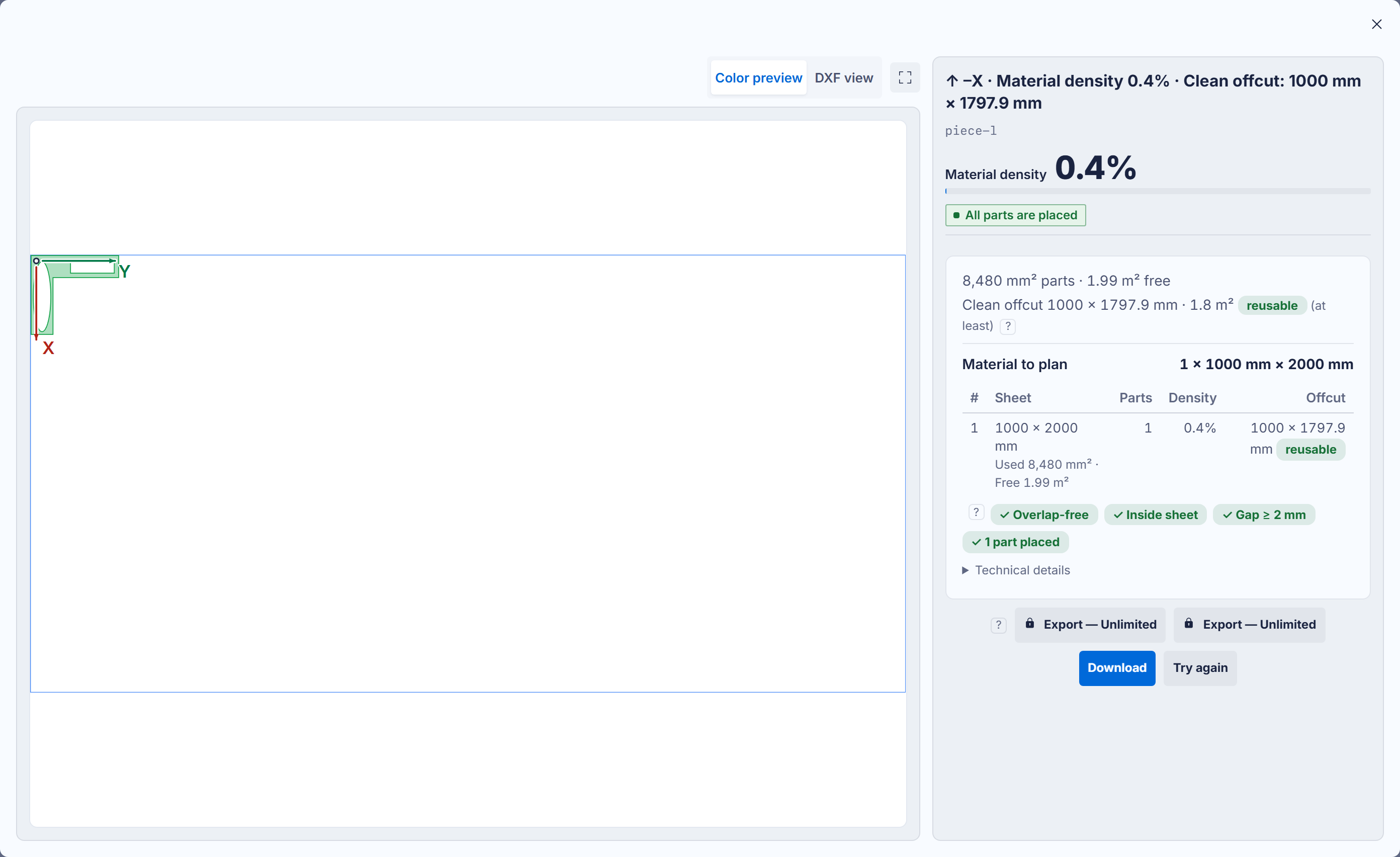
The downloads: the cutting DXF and the rewritten .job if you
dropped one — one file per sheet. On the free plan, the first 2
sheets of each job download; the following sheets carry a padlock, and
“Unlock all N sheets” opens the subscription window — the padlocks lift
as soon as the payment is confirmed, without reloading the page. The
report (CSV) and the full export take a plan — the “Export — Unlimited”
padlocks say so, as the capture shows. “Download all” in one click for
a multi-sheet result (on the free plan, once sheets are locked, the
button reads “Download the first 2 sheets”).
The full report — sheet by sheet, reusable offcut, export — will come with the “Your results” section; the badge guarantees are in Strip or multi-sheet.
On a custom sheet imported from a DXF, the result draws the true outline with the forbidden zones in red, the density is measured on the usable area (outline minus forbidden zones), and the check “Forbidden zones clear” joins the badges. The rectangular offcut figure is not shown. The cut files take the Unlimited plan: on Free, the download button reads “Unlock downloads with Unlimited”. See Custom sheet from a DXF.